Stop starting from scratch every time you open AI. One good result is not luck. It is a structure. Here is how to save it, organize it, and keep it ready the moment you need it.
You got a result last week that actually worked. The tone was right. The output was specific. It sounded like you wrote it, because in every way that matters, you did. You gave AI the context. It assembled the words.
This week you opened AI again. Blank prompt box. You cannot remember exactly what you typed. You try to recreate it. The result is generic. You close the tab.
This is not bad luck. This is a missing system. And the fix is not complicated. It takes one document, three categories, and a habit you will build faster than you think.
This article gives you the complete framework for building a reusable AI prompt library, keeping your best prompts accessible in seconds, and making sure you are never starting from scratch again.
Why Reusable AI Prompts Are More Valuable Than AI Outputs
Most professionals make the same mistake. They get a strong result from AI and save the output. They copy the email, the narrative, the talking points into a document somewhere. And when they need something three weeks later, they start over from scratch and hope for the same result.
The output is a one time event. The prompt is a repeatable process.
Save the structure, not the result. The prompt is always more valuable than the output it produces.
A reusable prmpt is not a specific piece of text you type every time. It is a structure with placeholders. Your role becomes a bracket you fill in. Your specific situation becomes a category. Your constraint becomes a principle that travels with you across every conversation.
The first time you use a strong prompt structure, you get one good result. The tenth time, you get good results in a fraction of the time. The difference is not the tool. It is the system behind it.
The Four-Part Structure Every Reusable Prompt Needs
Before you can build a library, you need to understand what makes a prompt worth saving. Every reusable prompt that works has four compoenents. Strip any one of them out and the output degrades.
- Role: Who you are, your industry, your level of experience, and the specific conext of your situation. [Your role and industry, X years experience]
- Task: Exactly what you need. Not a general topic. A specific deliverable with a defined outcome. [Specific situation and the outcome you need]
- Tone: How the output should sound. Direct? Warm? Confident but not aggressive? AI matches what you describe. [How it should sound and feel]
- Constraint: What to avoid. What the limits are. This is the component that stops the output sounding like everyone else. [What to avoid, what not to include]

When you save a prompt to your library, you are saving the structure with placeholders in place of the specific details. The placeholders are what make it reusable. The structure is what makes it work.
For now, a simple document is all you need. Something you can open, copy from, and build on. Later in this series we will walk through how to load your prompt library directly into Ai so it knows who you are before you type a single word. No copying. No pasting. Just open the tool and go. But that comes after you know what works. You cannot automate a system you have not tested yet.
The Warning Most AI Content Never Mentions

This means that saving and reusing prompts is only half the system. The other half is knowing where to apply your judgment before you use the output. Every entry in your prompt library should include a note on what to verify. Not as a formality. As a professional standard.
Your experience in your industry is your quality control mechanism. The twenty years you spent in those rooms, reading those stakeholders, knowing what lands and what does not. This is what lets you catch what AI gets wrong. Build that into the system from the start.
How to Build Your AI Prompt Library: Step by Step
- Start with the prompt that worked, not the output.
Go back to the last conversation where AI gave you something genuinely useful. Find the prompt you used. That is your starting point. Not the email it wrote. Not the narrative it produced. The instructions you gave it. - Strip it back to placeholders
Remove the specifics of that one situation and replace them with brackets. Role becomes [your role and industry]. Task becomes [your specific situation and the outcome you need]. Tone becomes [how it should sound]. Constraint becomes [what to avoid]. What you are left with is a reusable frame. - Note what made it work
Which component did the most work? Was it the role detail that made the output specific? The constraint that stopped it from dounding corporate? Write it down. The more you understand why a prompt worked, the faster you improve the next one. - Flag what to verify before using it again
Where did AI have to make an assumption because you did not specify? Where might it have filled a gap with something plausible but not accurate for your situation? Note it now so you know exactly where to apply your judgment next time. - File it in the right category
Three categories cover most professional AI use cases. High-stakes communication. Preparation and planning. Getting unstuck. These are a starting point, not a prescription. Change them to fit how you actually work.
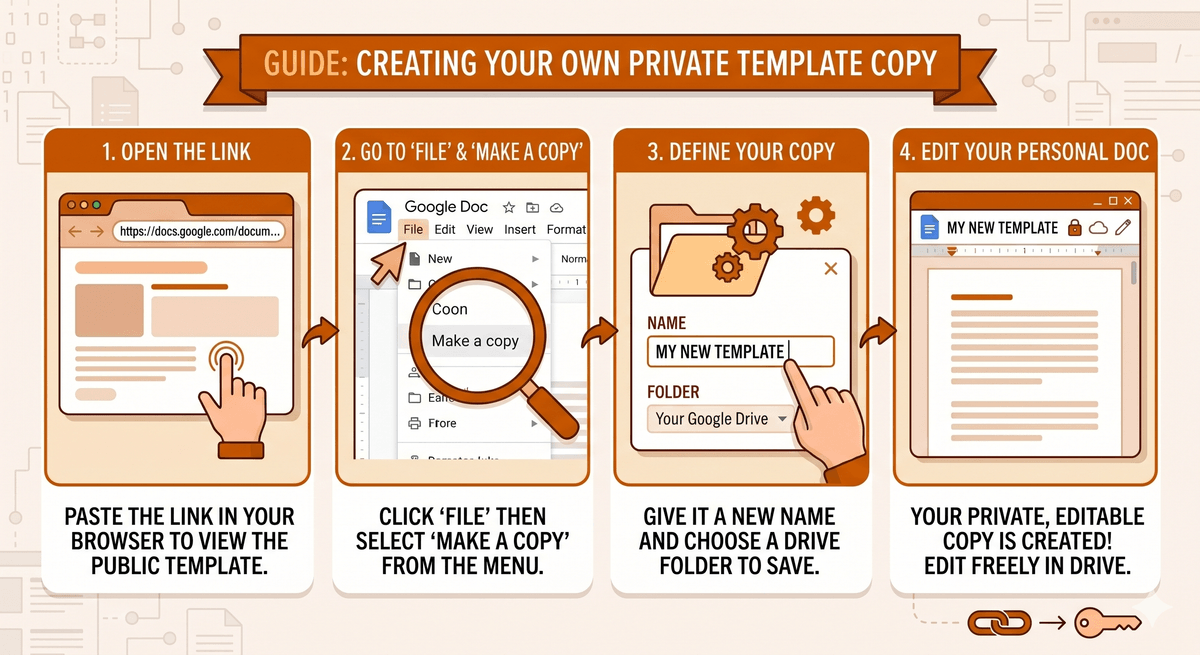
The complete template with Master Context block, three prompt categories, and a notes section. Ready to use in Microsoft OneNote or Word or Google Docs. Download it, fill it in, and stop starting from scratch.
The Three Categories That Cover Most Professional Use Cases
Your prompt library works best when it is organized by the situation you are in, not by the tool you are using. Here are the three categories that cover the majority of high-value professional AI use.
High-Stakes Communication: When the words matter and the tone has to be exactly right
Performance review narratives. Salary conversation openers. Difficult stakeholder emails. Messages to your team about decisions you did not make. Any communication where getting the tone slightly wrong has real consequences.
These prompts benefit most from a detailed role compnent. The more context you give Ai who you are, who you are communicating with, and what the stakes are, the more the output sounds like it was written for your specific situation rather than a generic template.
Preparation and Planning: Before you walk into the room
Meeting prep. Briefing documents. Talking points for presentations. Strategic planning frameworks. Questions to ask before a difficult conversaton. Anything that requires organized thinking before you need to act on it.
These prompts benefit most from a specific Task component. The clearer you are about the outcome you need, not just the topic, but the actual deliverable and what you will do with it: the more actionable the output becomes.
Getting Unstuck: When you have a problem you cannot see clearly yet
Thinking through a decision you are not sure about. Reframing a problem that feels too large. Working out why something is not working the way it should. Situations where you need to think out loud with something that will push back.
These prompts benefit most from a strong Constraint component. Telling AI what you do not want. No generic framework, no management speak, no advice you have already considered. Force AI into more specific and useful territory faster.
How to Keep Your Prompts Quick to Access
The library is only useful if you can get to it in seconds. Here is the simplest system that works across every platform.
The Master Context Block
At the top of your prompt library document, write a single paragraph that summarizes who you are, your industry, your communiction preferences, and what AI should never do when it writes for you. This is your master context block.
Example Master Context Block
" I am [role] with [X] years of experience in [industry]. I work in [type of organization] and my stakeholders are typically [describe them]. I always want output that is [tone description]. Never use [list what to avoid]."
Copy that paragraph into any AI conversation before your specific prompt. It takes 10 seconds. It immediately raises the quality of everything that follows because AI already knows who it talking to before you ask your first question.
ChatGPT Custom Instructions
In ChatGPT, go to your profile and select Custom Instructions. Past your master context block into the first field. ChatGPT will read it at the start of every conversation automatically. You never need to type it again.
This is the closest thing to having AI that already knows you before you open your mouth. It is one of the most underused features available to professionals right now.
A Pinned Note on Your Phone
For everything else, including Microsoft Copilot and any other too you use, keep your master context block in a pinned note. One tap. Copy. Paste. Done. It is not elegant but it works on every platform every time.
The goal is to make the barrier to a good prompt as clost to zero as possible. The system should work faster than the tempation to skip it.
The Iteration Step That Makes The Whole System Faster
Getting a strong first result is one skill. Building on it inside the same conversation is another. Most professionals skip the second one entirely.
When AI gives you something that is close but not quite right, do not start a new chat. Stay in the conversation. Push back directly. Tell it what is working and what is not.
"Keep the tone but cut the second paragraph." This is too formal, bring it down one level." "The opening is strong, the close needs to land harder."
AI holds the full context of everything you have already told it in that converation. Every refinement builds on the last one. You are not starting over. You are getting more specific. More accurate. More you.
Here is what iteration is really doing beyond improving the tone. Every time you push back, you are applying your judgement. You are catching the places where AI guessed instead of knew. You are replacing assumption with precision. You are turning a confident-sounding output into something you can actually stand behind.
That is not guessing. That is editing. And you already know how to edit.
What Your Prompt Library Looks Like After Three Months
After three months of saving prompt structures instead of outputs, your library document is one of the most valuable professional assets you own. It contains your role and context, your communication standards, your judgment about where AI can be trusted and where it cannot, and a growing set of tested structures for every high-stakes situation you regularly face.
Nobody else has that document. It is built from your experience, your industry knowledge, and your hard-won understanding of what works in your specific world. AI cannot replicate it. A junior colleague cannot replicate it. It is yours.
That is what Experience + AI= Indispensable actually looks like in practice. Not a tool you use occasionally. A system that compounds.

Frequently Asked Questions
What is a reusable AI prompt?
A reusable AI prompt is a prompt structure with placeholders instead of specific details. Rather than saving the output AI gives you, you save the framework you used to get it: your role, your task, your tone, and your contraints. Each time you need something similar, you fill in the new specifics and get a strong result without starting from scratch.
How do I build an AI prompt library?
Start with a single document organized into three categories: high-stakes communication, preparation and planning, and getting unstuck. Every time a prompt produces a useful result, save the structure with notes on what worked and what to verify before using again. Over time, this document becomes a compounding professional asset that gets faster and more accurate the more you use it.
What is the difference between saving an AI output and saving an AI prompt?
An output is what AI gives you back. A prompt is what you gave AI to get there. Saving the output gives you a one-time result. Saving the prompt structure gives you a repeatable process you can adapt for any similar situation. The prompt is always more valuable than the output.
How do I keep AI prompts quick to access?
Keep all your prompts in a single document organized by use case. At the top, maintain a master context block. A short paragraph summarizing who you are, your industry, your tone preference, and what to avoid; that you can copy into any AI tool in seconds. In ChatGPT, you can also use Custom Instructions to store your context permanently so it applies to every conversation automatically.
Why does AI give different results every time I ask the same question?
AI generates responses based on the context you provide in each conversation. Without a saved structure, smaller differences in how you phrase a request lead to significantly different outputs. A reusable prompt template eliminates that variability by ensuring you always provide the same quality of context: your role, your specific situation, your desired tone, and your constraints.
Can I use the same AI template in ChatGPTR and Copilot?
Yes. The four-part prompt framework works across all major AI tools including ChatGPT and Microsoft Copilot. The principle is platform-agnostic: give Ai your professional context, your specific task, your desired tone, and your constraints, and the quality of output improves regardless of which tool you are using.
How do I know when an AI prompt output is safe to use?
AI does not flag its own uncertainty. It delivers confidently where it is right or wrong. Your professional judgment is the quality control mechanism. Before using any AI output, ask: where did I leave a gap in my prompt that AI had to fill? Is the factual content accurate? Does the tone reflect how I actually communicate? Your experience in your industry is what allows you to catch what AI gets wrong.